
Capturing phone support requests: from call to task
The phone is the last support channel without structure. Which six details from a call belong in the task – and how a call script closes the gap.
The short version
- Forms, widgets and email all have structure – on the phone, everything depends on how well someone took notes.
- Six details decide whether a call becomes a workable task: the issue, the caller, the impact, the area, when they can be reached, and the agreed next step.
- A call script covers most of that for free, starting tomorrow. AI phone assistants earn their keep where volume or out-of-hours coverage is the problem.
- The goal isn't support without people. It's a team that doesn't start from zero.
Forms, widgets, email: most support channels have picked up some structure by now. Required fields, browser data attached automatically, one inbox where everything lands. The phone is the exception. Someone picks up, scribbles alongside the conversation, and what ends up in the system depends on how attentive that person was during those particular four minutes.
Which is a shame, because a call is often the richest channel you have. People say more than they would ever type into a form, and you can ask follow-up questions on the spot. The channel isn't the problem. The problem is that between the conversation and the task sitting in your team's queue, there's a handwritten note.
What survives a phone call
A call at 9:40. The customer says invoicing „hasn't worked since yesterday“, adds that it only affects the Heidelberg branch, mentions in passing that they're in a meeting until three, and hangs up. What lands in the system is usually this: „Meyer – invoices not working, please check.“
Three details are now gone, and they happen to be the three that would have shaped the next step. Without „only Heidelberg“, someone searches the whole system instead of one location. Without „since yesterday“, nobody connects it to the deployment two days ago. Without „in a meeting until three“, somebody calls back at eleven, reaches nobody, and puts the case back on the pile.
This isn't about carelessness. Anyone who is listening, reassuring and taking structured notes at the same time will lose something. The question is whether the structure depends on memory or on the process.
Six details that turn a call into a task
It takes less than you'd think. These six are enough for someone else to pick the case up without calling the customer back:
- The issue: area plus symptom in one sentence – „Invoice delivery failing for the Heidelberg branch“, not „problem with invoices“.
- The caller: name, company, callback number and, if there is one, a customer or contract number.
- The impact: fully blocked, annoying but there's a workaround, or minor. From the customer's point of view, not engineering's.
- The area: location, account, project or module – anything that narrows the search later.
- Reachability: when a callback will actually land, and how they'd prefer to hear back.
- The next step: callback, investigation, appointment or handover – agreed, not assumed.
What's deliberately missing is the full transcript. Nobody reads four minutes of conversation before touching a task. Three sentences of summary beat a complete recording every time.
Getting there: a script or an assistant
There are two routes to those six details, and the cheaper one comes first.
A call script costs nothing
The six points on a card next to the phone, or as fields in the form that opens when you pick up. It sounds trivial and it solves most of the problem anyway: someone looking at that list asks „does this affect all your locations or one in particular?“ before the customer hangs up – not two hours later by email. For a team handling a few calls a day, that's the whole solution, and it's ready tomorrow morning.
An AI phone assistant also picks up at 10pm
The script has two limits: it needs a free human, and there isn't always one. With five simultaneous calls, in the evening, during holidays, or while everyone is in a meeting, the customer lands on voicemail – the least structured channel of them all.
That's where AI phone assistants come in. They take the call in natural language, understand a freely worded request, ask for whatever is missing, and pass the result on in a structured form. The difference from an old touch-tone menu matters: the caller doesn't have to translate their problem into „press 3“, they just say it.
One German provider in this space is Telfo, based in Mannheim. Their assistants answer standard questions from an approved knowledge base, capture customer and case details during the call, and hand the result over to downstream systems – by their own account via integration, API, webhook or email. Their use cases go into more detail than we could here. Worth knowing if you're evaluating: Telfo is aimed primarily at German-speaking markets, so check language coverage before you shortlist it.
Two things matter when picking any provider in this category: an escalation rule that hands difficult cases to a human early, and a handover that produces structured fields rather than a wall of text. An assistant that ends by emailing you the full conversation has only moved the problem.
Turning spoken sentences into fields
The real work is translation. Customers don't speak in data fields, but almost every sentence contains one:
- „Nothing has worked since this morning.“ → Impact: blocking, since today – this one moves up the triage queue.
- „It's about our Heidelberg branch.“ → Area: Heidelberg – decides who owns it.
- „Please don't call back before three.“ → Reachable from 15:00 – saves a wasted attempt in the morning.
- „It always used to work fine for us.“ → A regression, not a user error – changes where you look entirely.
- The free-form description → a title plus three sentences of summary that keep the customer's own wording.
That last point is where most of it goes wrong. Summarising means interpreting, and the exact phrase that would have explained the bug is usually the one that gets dropped. So the rule for the description is the same as for any bug report: quote, don't translate.
Where IssuePilot takes over
From here on it isn't a phone call any more, it's a request like any other – and it follows the same path as everything arriving through the widget, a form or email. It lands in the inbox and gets sorted there: answer it, fix it, or schedule it.
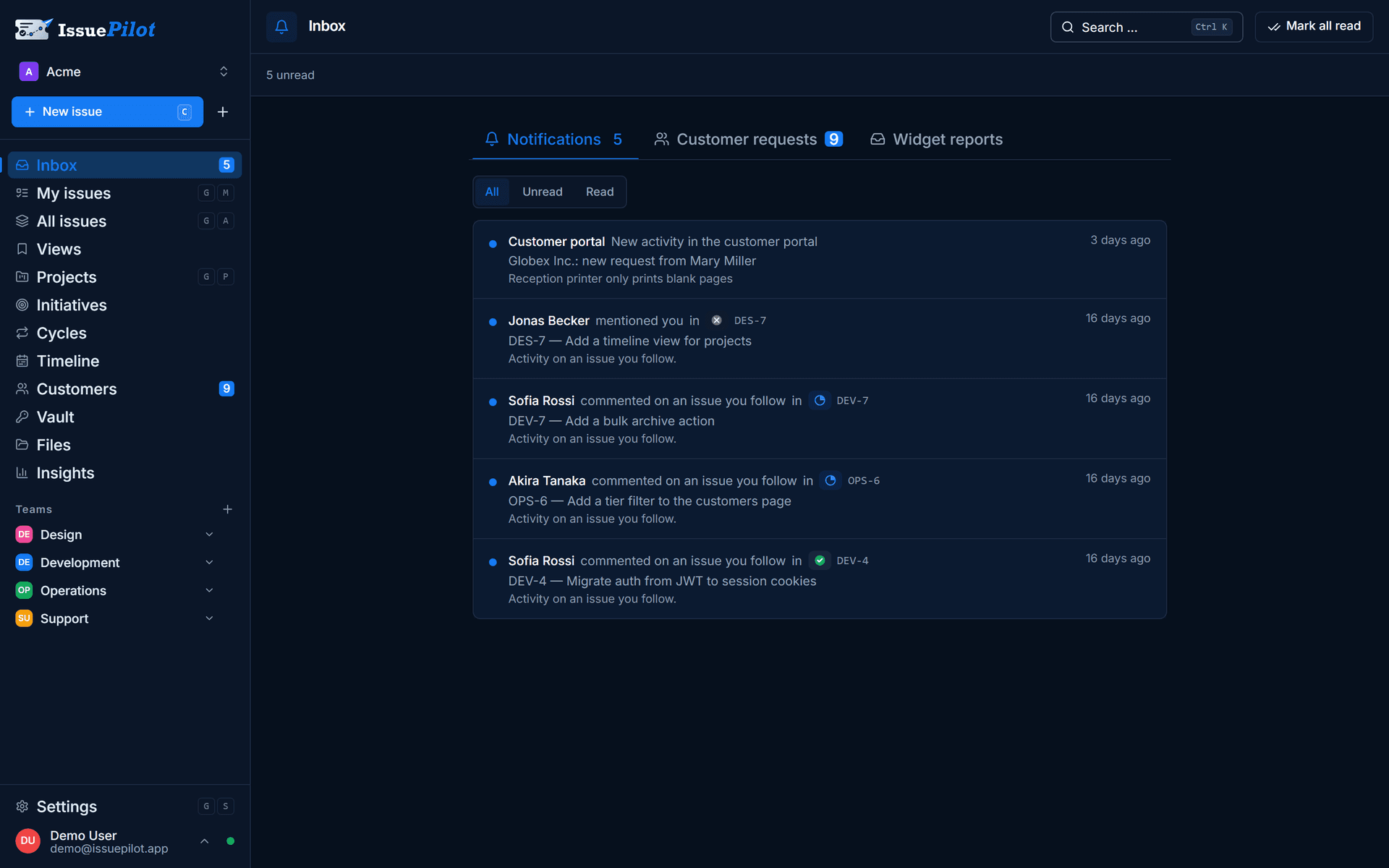
That sorting step is where the workload is either created or removed. If a task comes out of it, the six details from the call fill the fields directly: the issue becomes the title, the impact becomes the priority, the area becomes the project or label, and the next step becomes the assignment.
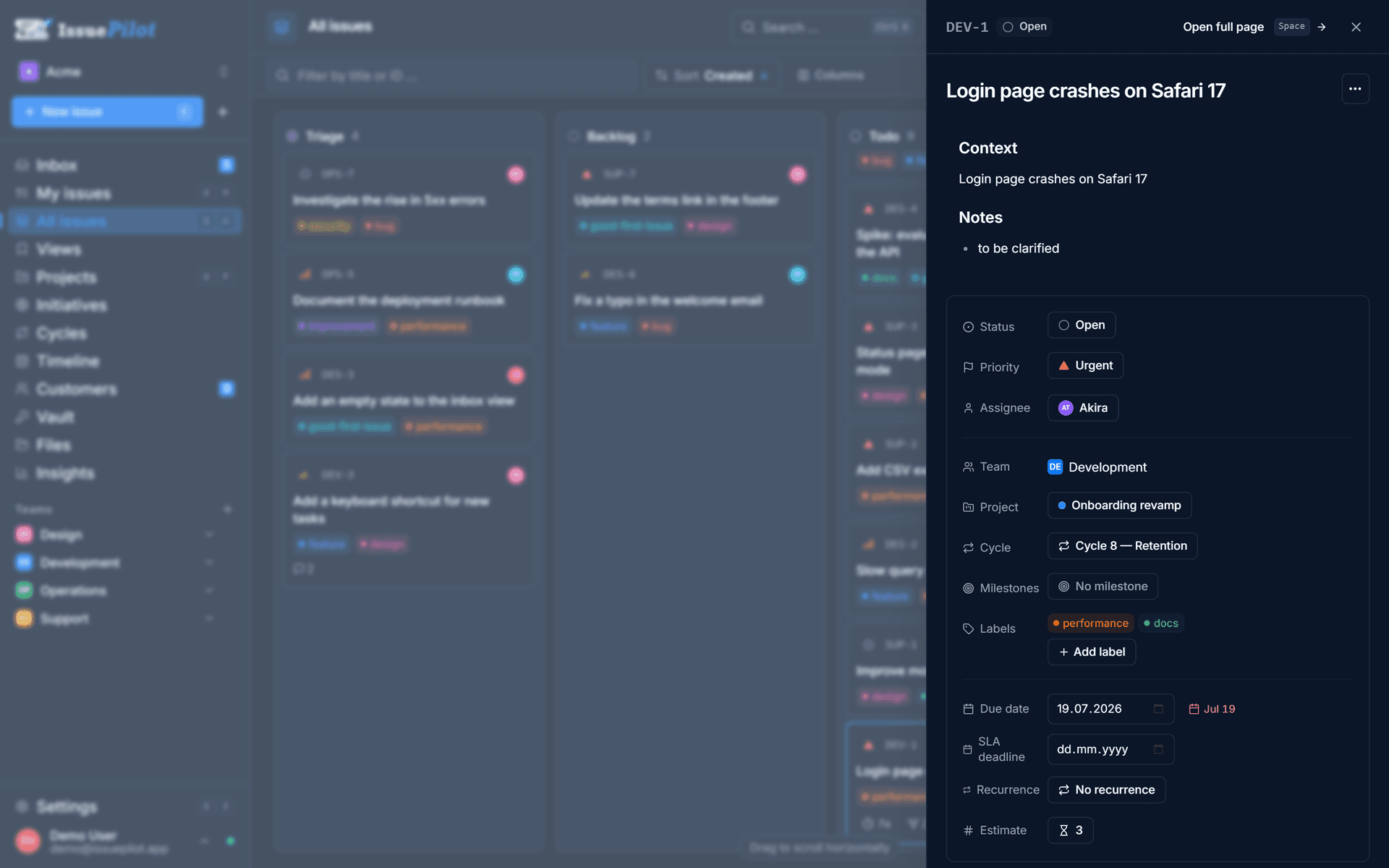
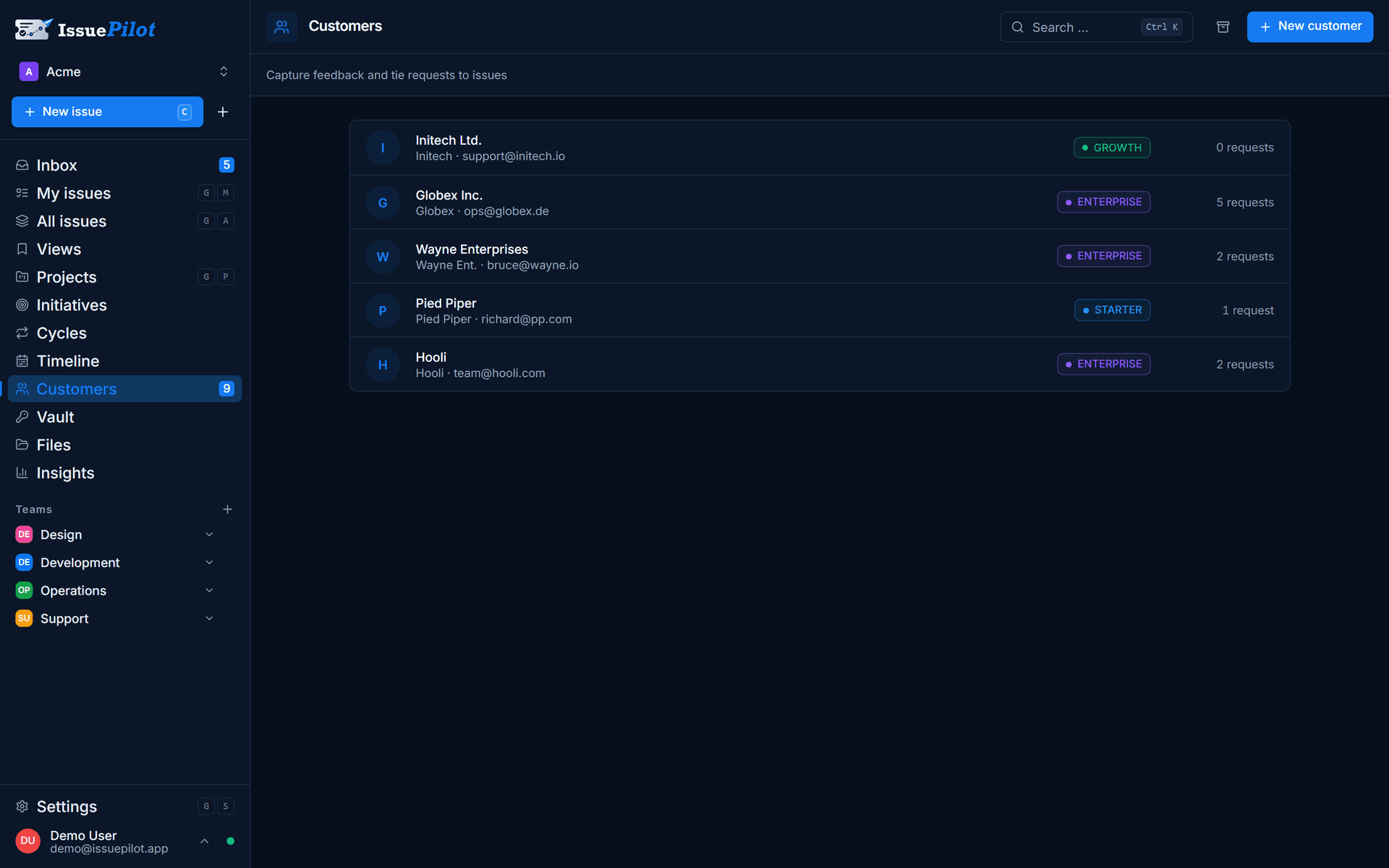
The caller stays attached to the case. The customer request stays linked to the customer and connected to the task – if three branches report the same thing, three requests hang off one task. Once it's done, the list of people owed a callback is right there. Customers and customer requests are part of the Pro plan; the inbox, triage and tasks cover this flow on the Free plan already.
One clarification: with Telfo you don't have to build this yourself. Since 25 August 2026 the integration is native – once a call has ended, IssuePilot creates the task automatically, with a summary, contact details, category labels and a mapped priority, in whichever target team you choose. You set it up under Settings → Integrations in three steps: target, connection, test. For other phone assistants, the webhook-and-API route is still a custom build.
Why „fully automated“ is the wrong target
It's tempting to aim for „no call ever reaches us again“. That usually backfires. Complaints, threats to cancel, vague fault reports and anyone explicitly asking for a person belong with a person – early in the call, not after the third misunderstood follow-up question.
The gain is elsewhere. When a human does take over, they start with the name, the issue, the impact, the area and whatever has already been asked. They don't start from zero, and the customer doesn't have to tell the story twice. That's the real difference – not the number of calls avoided.
Common mistakes
- Full transcript instead of a summary: nobody reads four minutes of conversation before picking up the task.
- Giving phone cases their own separate flow: two inboxes side by side means one of them stops being maintained.
- No escalation rule: an assistant that insists on completeness during a complaint costs more goodwill than it saves time.
- Reachability not captured: the callback into the void is the most common silent delay in phone support.
- Impact set from the engineering side: whether something is blocking is the customer's call, not a guess at how hard the fix will be.
In short
Phone support doesn't have to stay unstructured just because people speak freely. Between the conversation and the task there's a translation step, and it can be written down: six details, one inbox, one sorting rule.
Whether that translation is done by a card next to the phone or by an AI assistant is a question of volume. For most small teams the card lasts longer than vendors would like. If you need to be reachable in the evening, at weekends or during simultaneous calls, automation gets hard to avoid – and then the thing to check is that structured fields come out at the end, not another wall of text.
Either way the test is the same: at the end of the call, someone else has to be able to pick the case up without ringing back. How IssuePilot supports teams doing that is on the support & QA page.
For support & QA
Take a lookYannick Schneider
Founder of IssuePilot
Yannick builds websites and software for clients at Schneider & Liska Webservice. IssuePilot grew out of that everyday work – out of wanting to stop hunting for feedback, bugs and tasks across five different channels.
More about us