
Personal workspace
A space of your own. Next to the teams, not inside them.
Private boards, a pinboard for your notes and tasks that repeat themselves. Everything that only concerns you doesn't have to end up on a team board — and doesn't.
Three fields · up and running in 15 minutes · then the free plan continues automatically
- Servers in Germany
- GDPR-compliant
- Built in Germany
- Servers in Germany
- GDPR-compliant
- Built in Germany
What is the personal workspace in IssuePilot?
A space that belongs to your account rather than to a workspace. It holds your private boards, your notes and the tasks that are nobody else’s business — visible only to you.
This solves a problem every team tool has: half of your own work belongs on no team board. “Call M. back”, “check the backups”, “finish that one quote” — put it on the team board and it’s noise there. Put it on a sticky note and it’s gone.
So the space isn’t a stripped-down side view but a full area: its own boards, its own notes, its own settings. If you mostly work alone, you can make it your home after signing in.
Boards of your own
Lists that actually feel like lists.
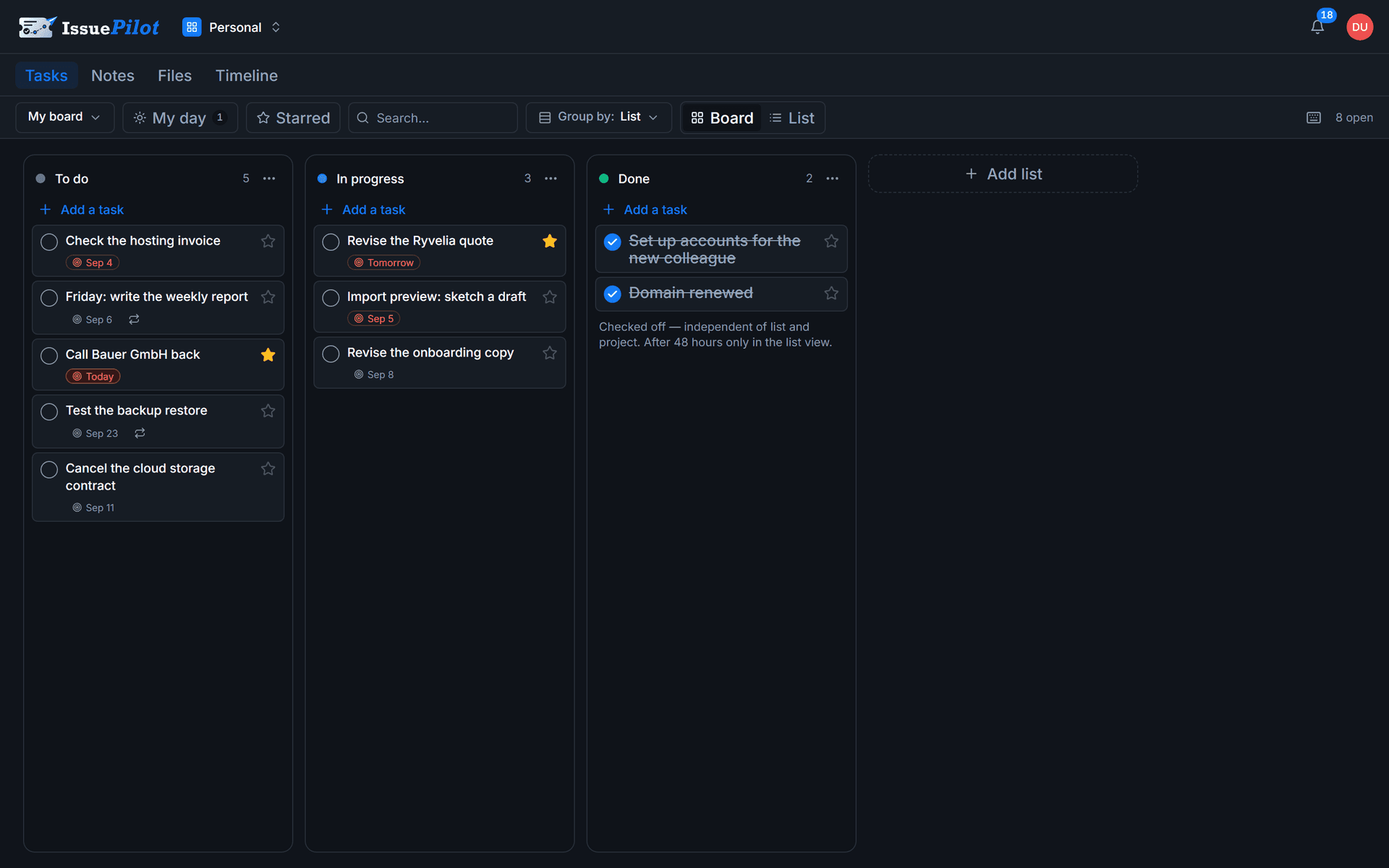
Tasks with subtasks, sorted into lists, moved by dragging. Deliberately dense so a lot fits at a glance — and deliberately without forced statuses: a list is called whatever you call it.
- As many lists as you like, drag tasks between them
- Subtasks with visible progress on the card
- Group by project when it gets crowded
- Completed work slides tidily aside instead of vanishing
Notes as a pinboard
Thoughts that belong together sit together.
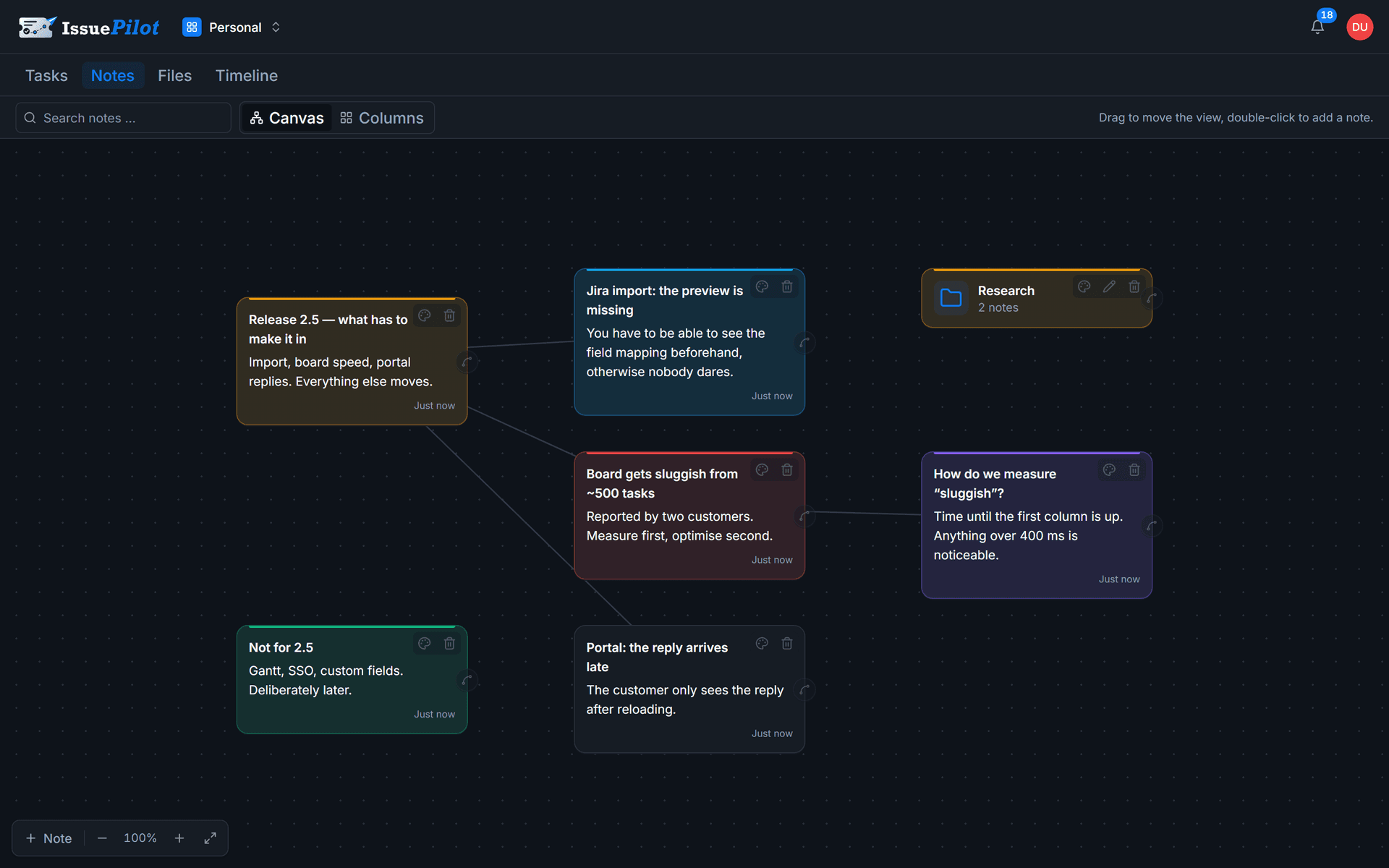
Notes don't stack up in a list — they lie on a surface, and you draw lines between the ones that belong together. When it gets to be too much, folders come in, with a breadcrumb path and search inside the folder.
- Connect by dragging, onto a folder as well
- Folders with a path display and search within the folder
- Formatted text instead of raw lines
- Link a note to a task — the thought stays with the work
Everyday use
Six things that make the difference.
None of them is spectacular. Together they decide whether you open the tool again tomorrow.
Recurring tasks
Every N days, weeks, months or years — for weeks, on specific weekdays too. Ticking one off creates the next open instance right away, with the due date moved on and fresh copies of its subtasks.
Subtasks instead of scattered notes
Every task can carry subtasks. The card shows how many are already done — progress is visible without opening anything.
Edit right on the card
Change the title, tick it off, set a due date, pick a repeat — all on the card itself, without a window covering your overview.
Keyboard all the way
Create, jump, complete without the mouse. And if you tick something off too early, you get a moment to take it back before the task slides out of the list.
Bring your Google Tasks
A guided import brings your lists across, subtasks included — all at once if you like, and you decide where they land.
Make it your home
If you mostly work alone, set your space as the default: after signing in, IssuePilot opens there instead of in a team.
When it does become two of you
Share a board without founding a team.
Some undertakings are smaller than a team and bigger than one person: the holiday handover, a side project between two people, the shared office shopping list. For those, a personal board can be shared. The people you invite see exactly that board — not the rest of your space — and get notified when something on it is assigned to them.
Related: Email to task · Apps & extensions · Project management software
Honestly scoped
Not a second brain, not a wiki.
The pinboard is built for thoughts alongside your work, not for a searchable knowledge base with backlinks and database views. If that’s what you’re after, Notion or Obsidian will serve you better. What IssuePilot does instead: the thought stays attached to the work it came from — and both sit on the same server in Germany.
FAQ
Questions about your own space.
A space of your own next to your teams — with its own boards, its own notes and its own tasks. It belongs to your account rather than to a workspace, and it's there even if you're not in a team at all.
Your own space comes with the account.
Try 30 days of Pro, then keep going for free — boards, notes and repeats included.
Three fields · No credit card · Cancel monthly
- Servers in Germany
- GDPR-compliant
- Built in Germany
Still got a question? Write it down