
Product
This is how your team works with it.
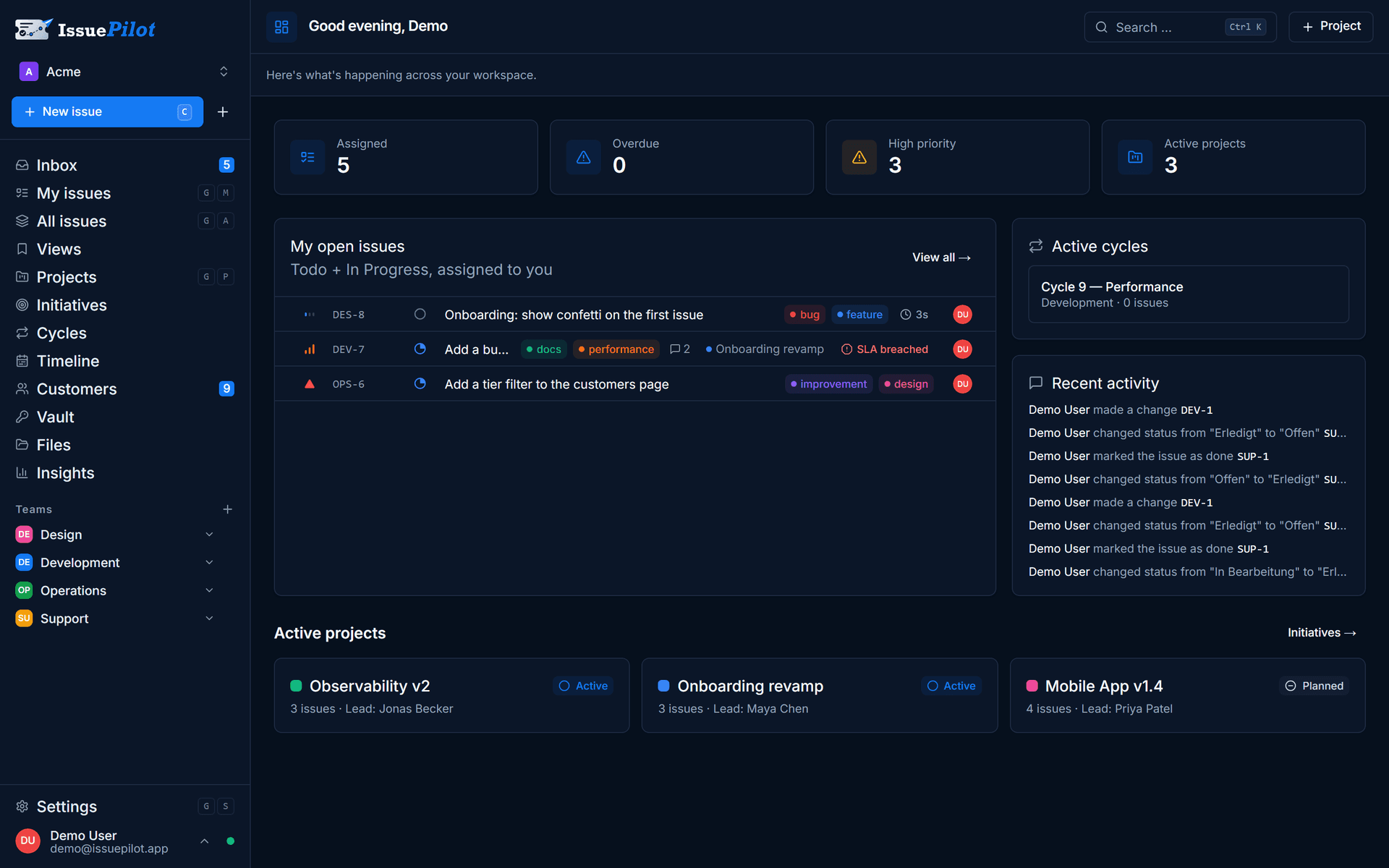
Every feature in IssuePilot has a job to do. Here you see them in the order your team actually uses them: from the first report to the finished task.
Three fields · up and running in 15 minutes · then the free plan continues automatically
- Servers in Germany
- GDPR-compliant
- Built in Germany
- Servers in Germany
- GDPR-compliant
- Built in Germany
What is IssuePilot?
IssuePilot is an issue tracking and project management tool for small and mid-sized teams. Tasks, bugs and customer reports don’t sit in three separate tools — they sit in one place.
Every report takes the same route: into the inbox, then a priority and someone who owns it, then onto the board or the list. Because the path never changes, nobody has to guess where something stands.
What other issue trackers don’t do: let your customers report for themselves. Through a widget on your site or through their own portal, without signing up for anything. IssuePilot is built and run in Germany, and the data stays there too.
- Pricing
- Free €0 · Pro €4.90 net (€5.83 incl. German VAT) per member per month
- Free trial
- 30 days of Pro, no credit card
- Free plan
- free forever, up to 3 members and 100 tasks
- Hosting
- Germany, GDPR-compliant
- Languages
- German and English interface and support
- Contract
- cancel monthly
The common thread
Five steps that everything lines up around.
Capture, prioritise, assign, deliver, done. The features below appear in exactly this order.
Capture
Inbox & widget
Prioritise
Triage
Assign
Assignees
Deliver
Board & cycle
Done
Completed
Capture
Live issue widget
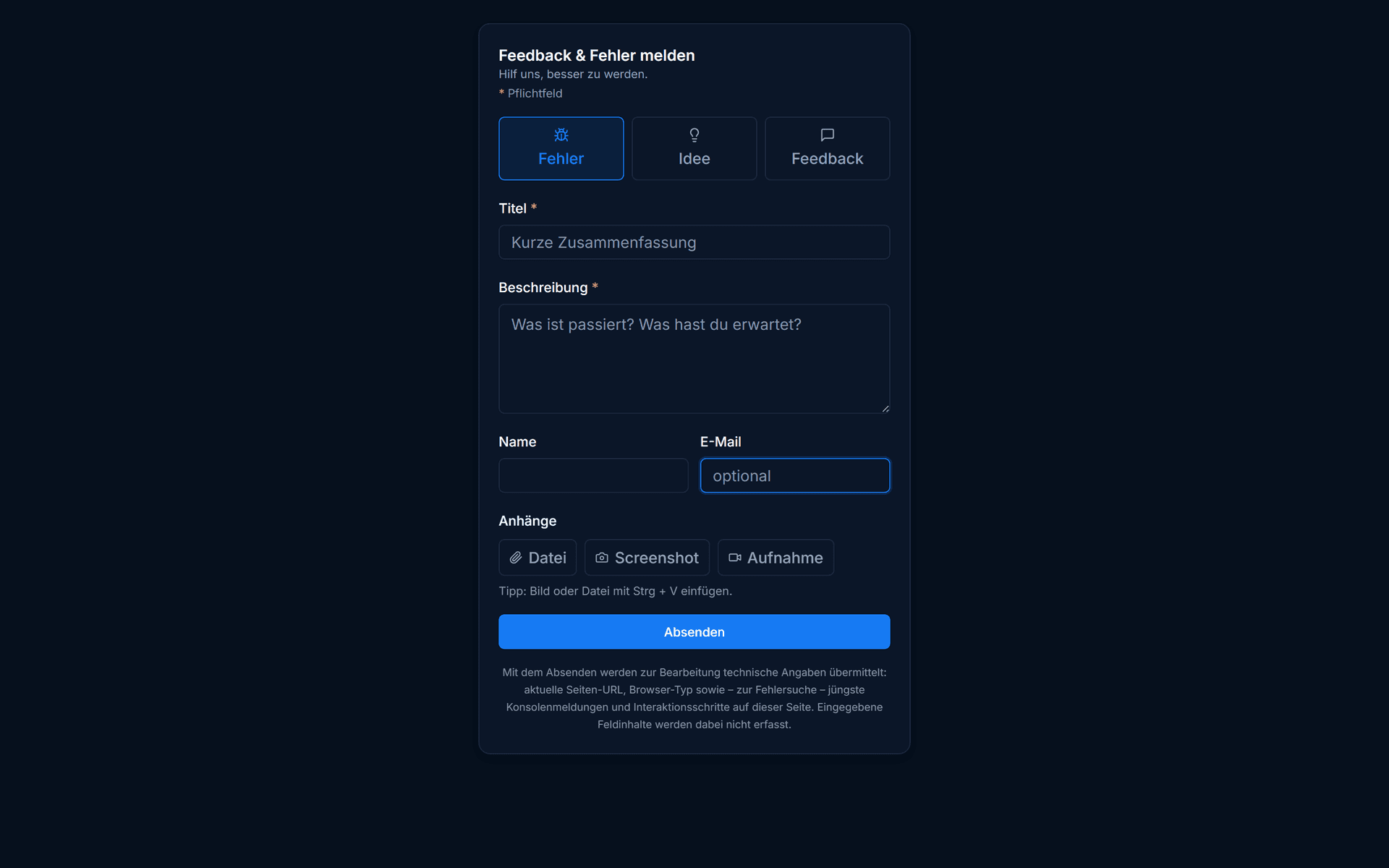
A widget on your website that lets visitors, customers or testers report exactly what's wrong: with category, description, screenshot and, optionally, email, user ID or customer number.
Solves
Otherwise feedback arrives by shout, chat or phone and gets lost on the way to the team.
In practice
A tester notices an image in the slider isn't loading, clicks “Feedback”, marks the spot on the screenshot and sends it off. Seconds later the report lands in the inbox.
Capture & prioritise
Inbox & triage
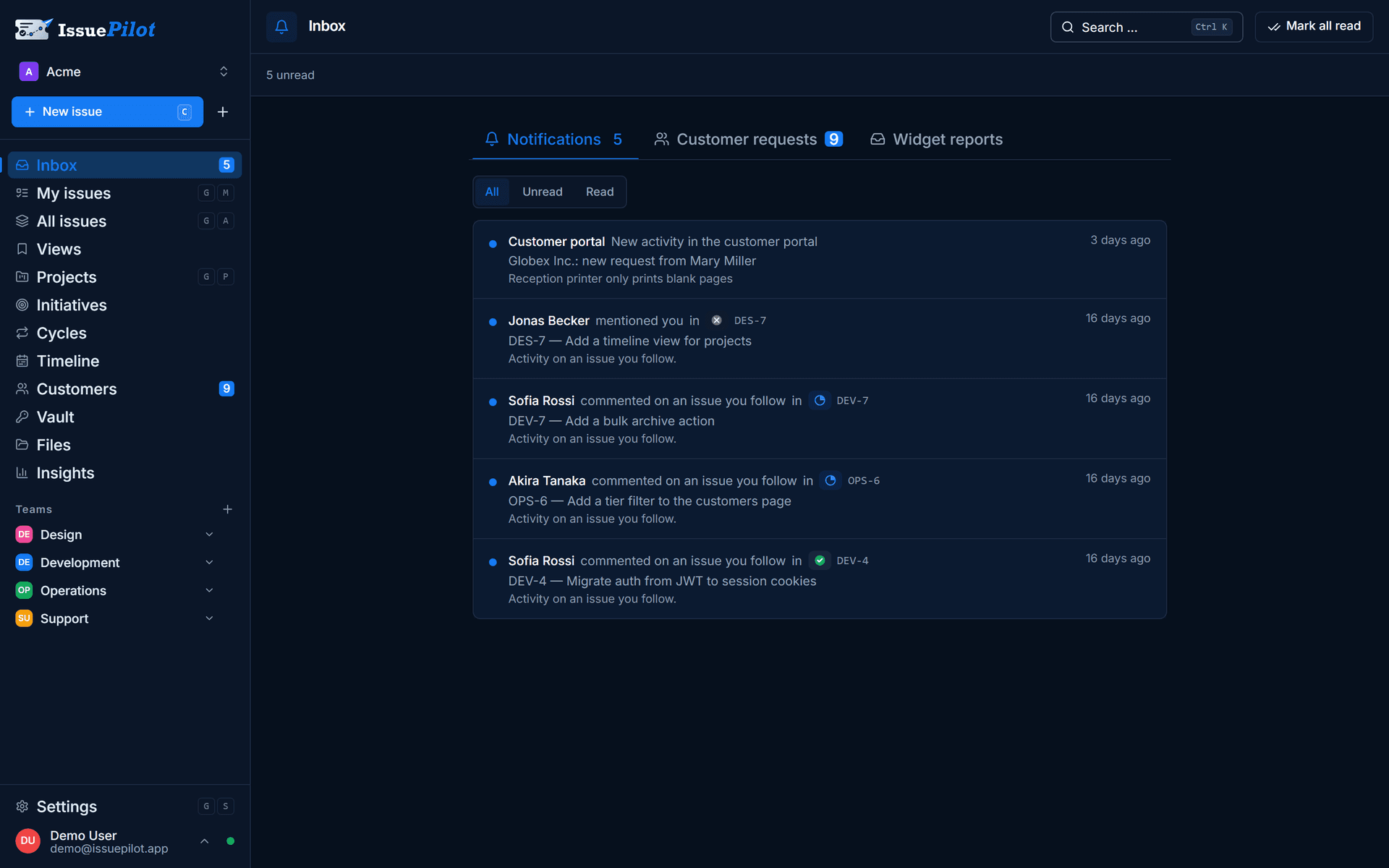
The inbox gathers every new report from the widget, email and manual entry before it becomes a task. Here you review, sort and set the priority.
Solves
Without a central inbox, every report lands somewhere different and nobody knows what's already in progress.
In practice
Six reports are sitting in the inbox this morning. You flag two as bugs, attach one to the “Checkout 2.0” project and file the rest at low priority. Five minutes later everything is sorted.
Assign
Tasks with full context
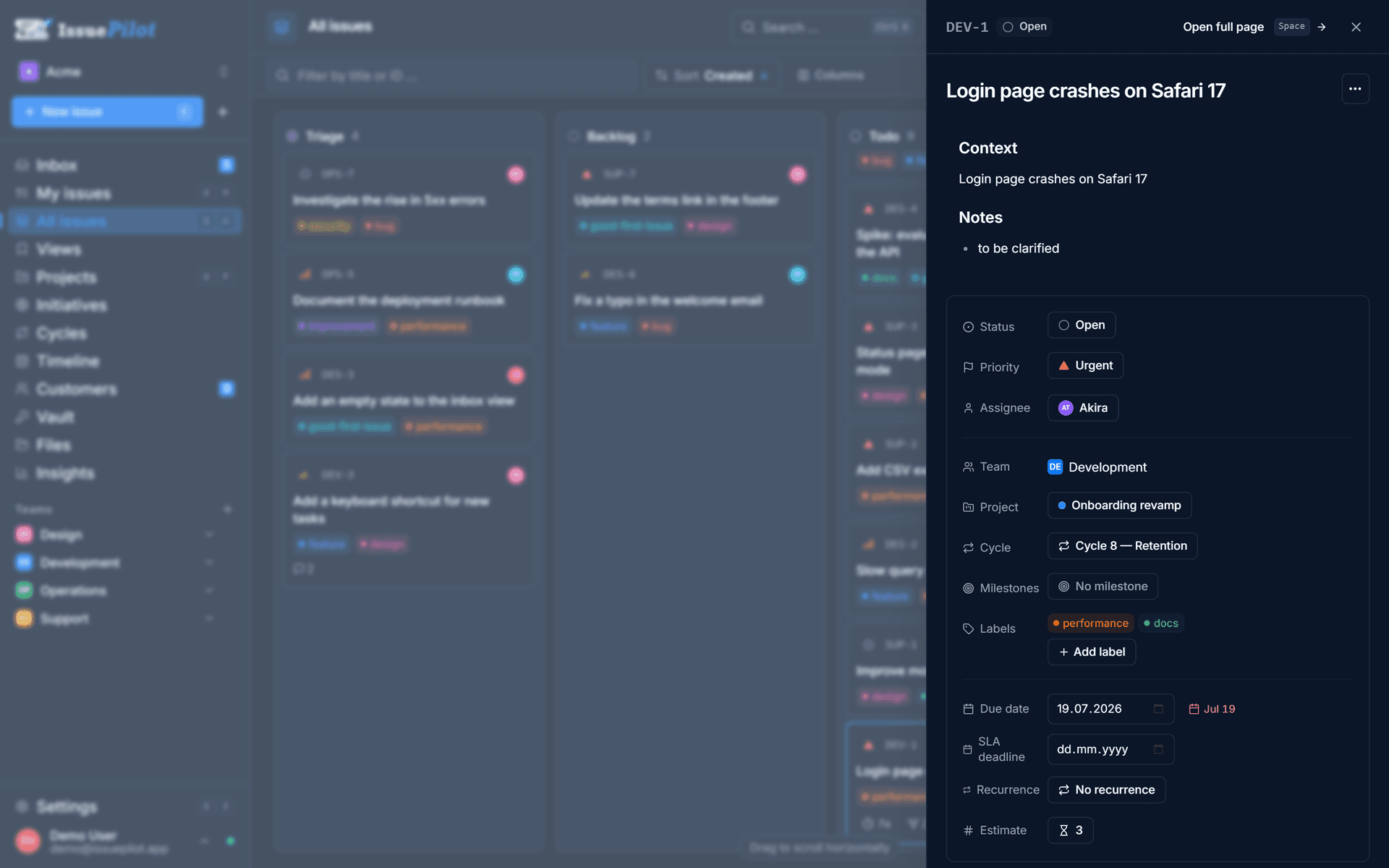
Every task carries a status, priority, assignee, comments, attachments, subtasks and relationships. Everything opens in the sideboard without leaving the list.
Solves
When context is spread across tickets, chats and documents, you spend longer hunting for information than working on the fix.
In practice
ISS-481 is “In progress”, Mara is the assignee, a comment reads “only occurs above 60 characters”, the screenshot is attached, and two of three subtasks are done. The whole case is clear at a glance.
Deliver
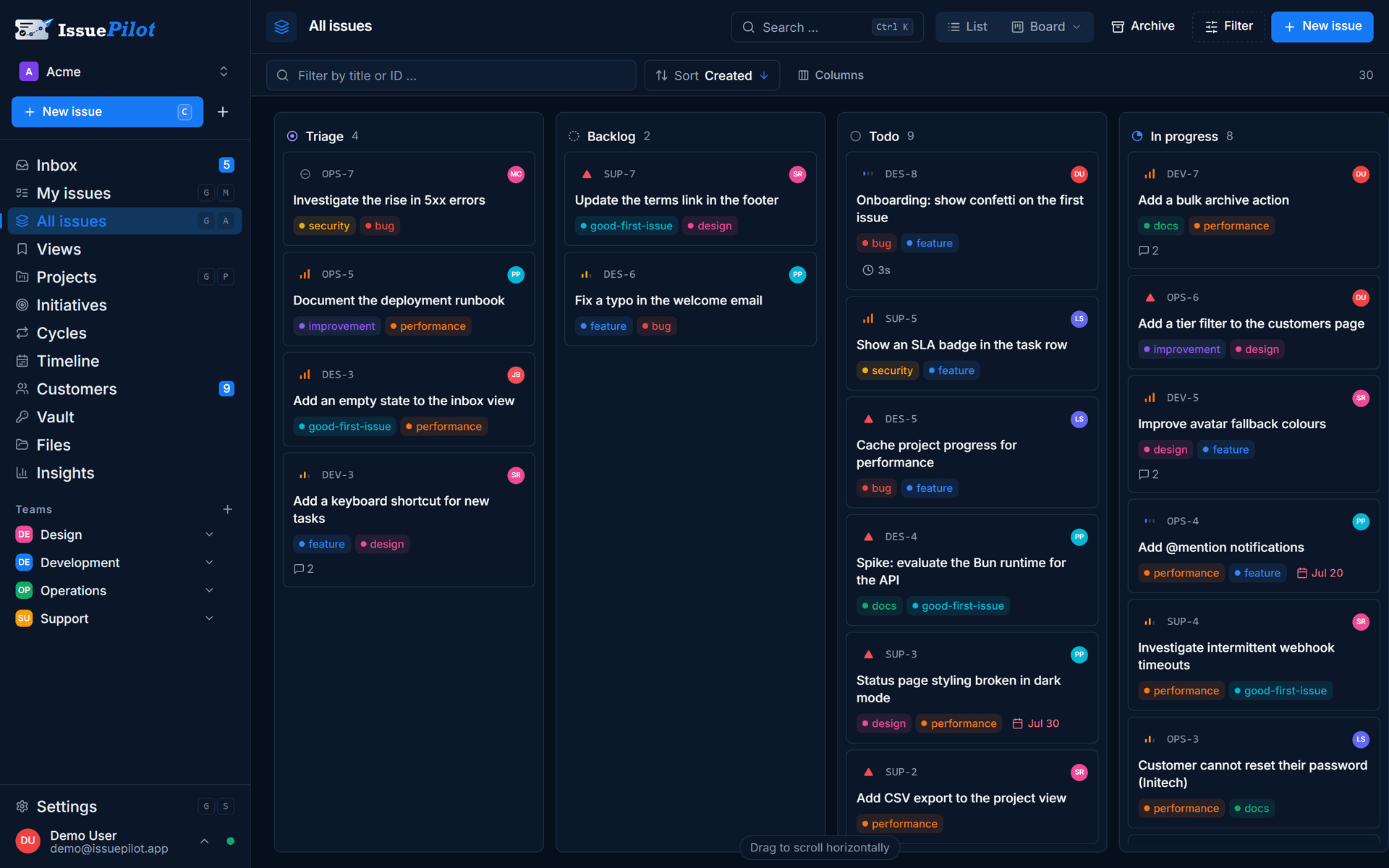
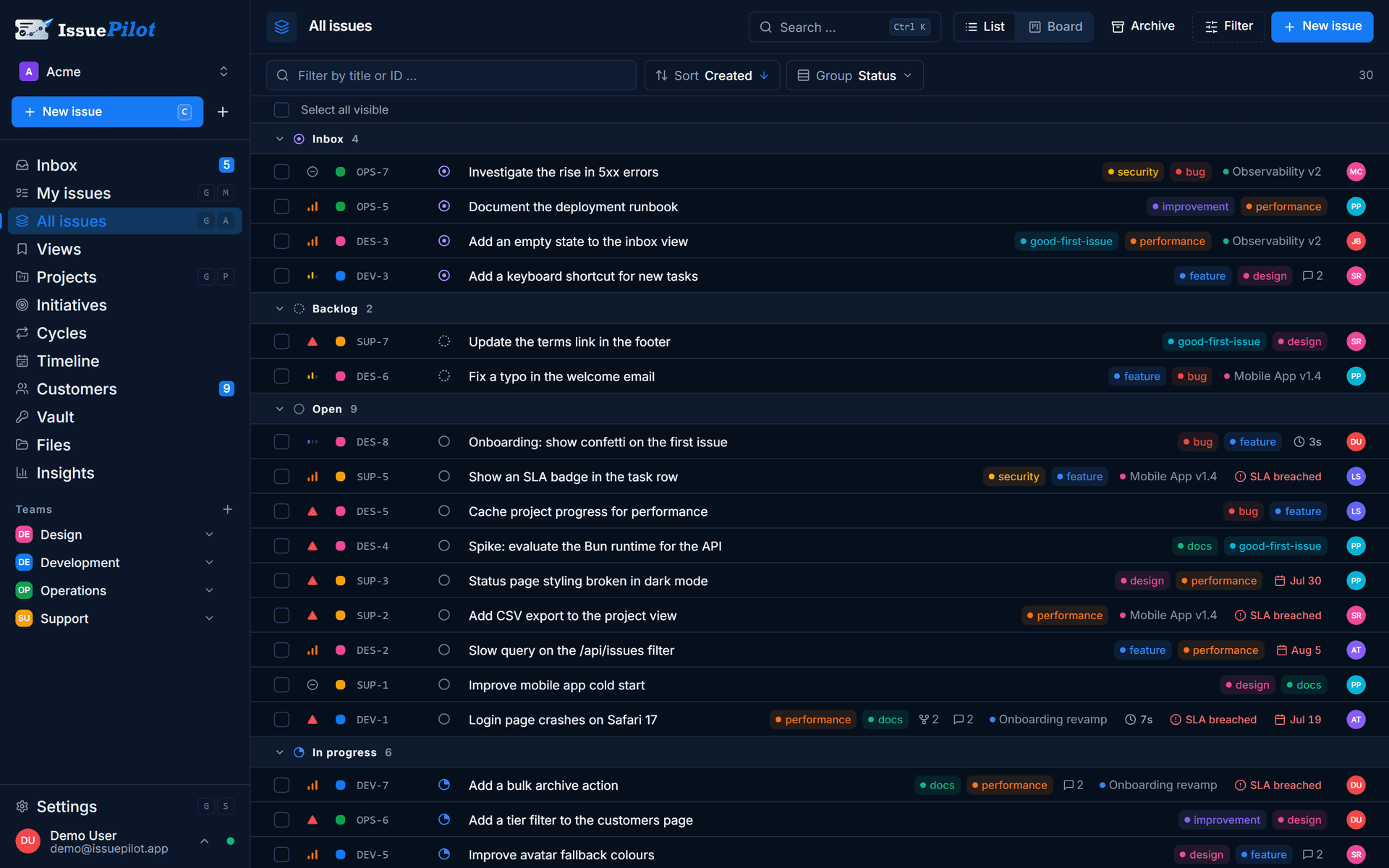
Board & list with inline edit
The same tasks in two views: the kanban board for the status overview, the list for working through them quickly. You change status, priority and assignee right in the row.
Solves
Opening a detail panel for every small change slows you down noticeably once a lot of tasks are open.
In practice
On the board you drag ISS-479 from “Open” to “In progress”. In the list you set the priority on three more tasks without opening a single one.
Deliver
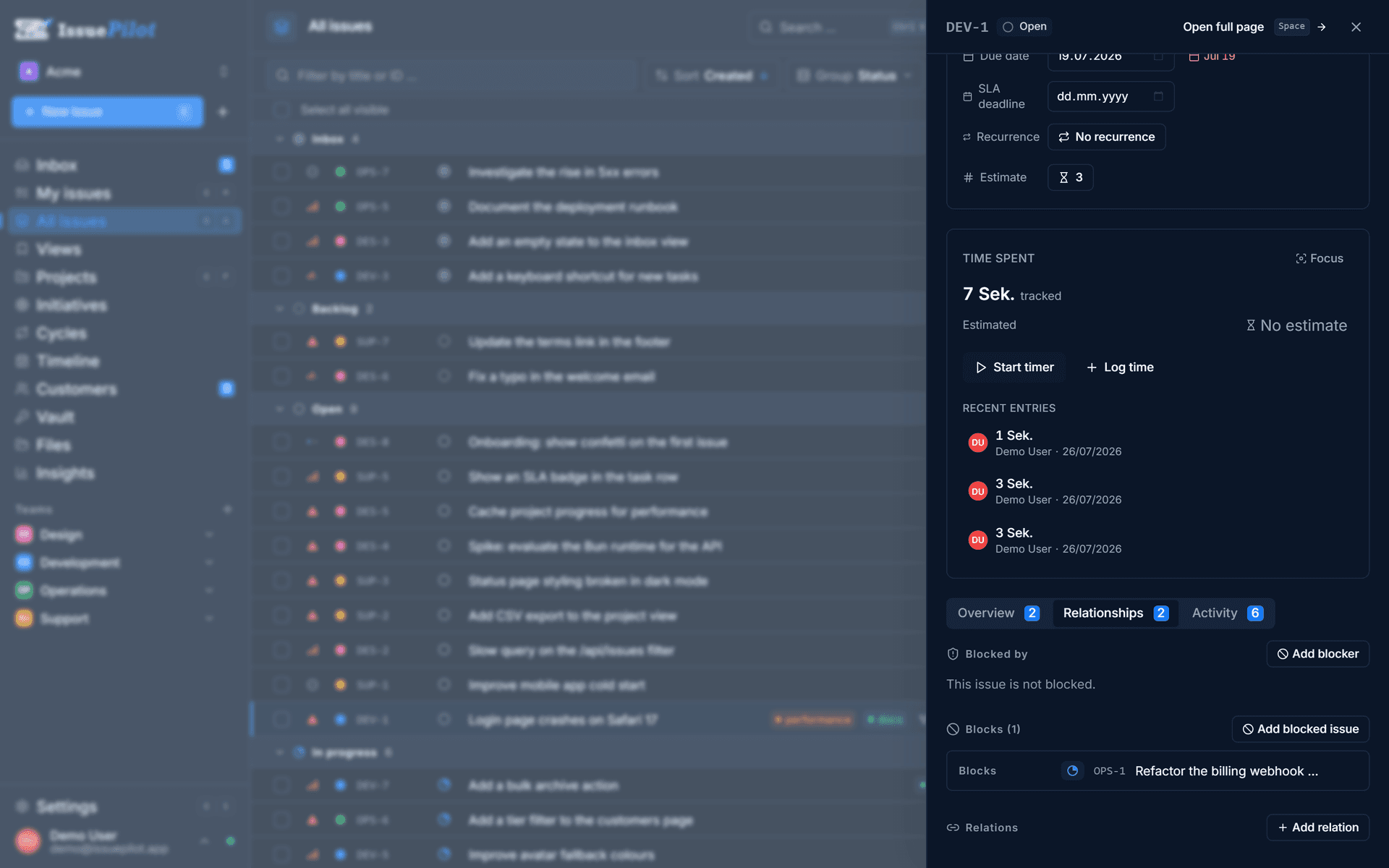
Blockers & relationships
Tasks can be linked and marked as blockers. On every task you see what it depends on and what it's holding up.
Solves
Otherwise dependencies live only in people's heads or in comments, and work stalls without anyone knowing why.
In practice
ISS-481 can't move forward because address validation ISS-462 is still open. The blocker marker shows this directly, so ISS-462 moves to the front first.
Deliver
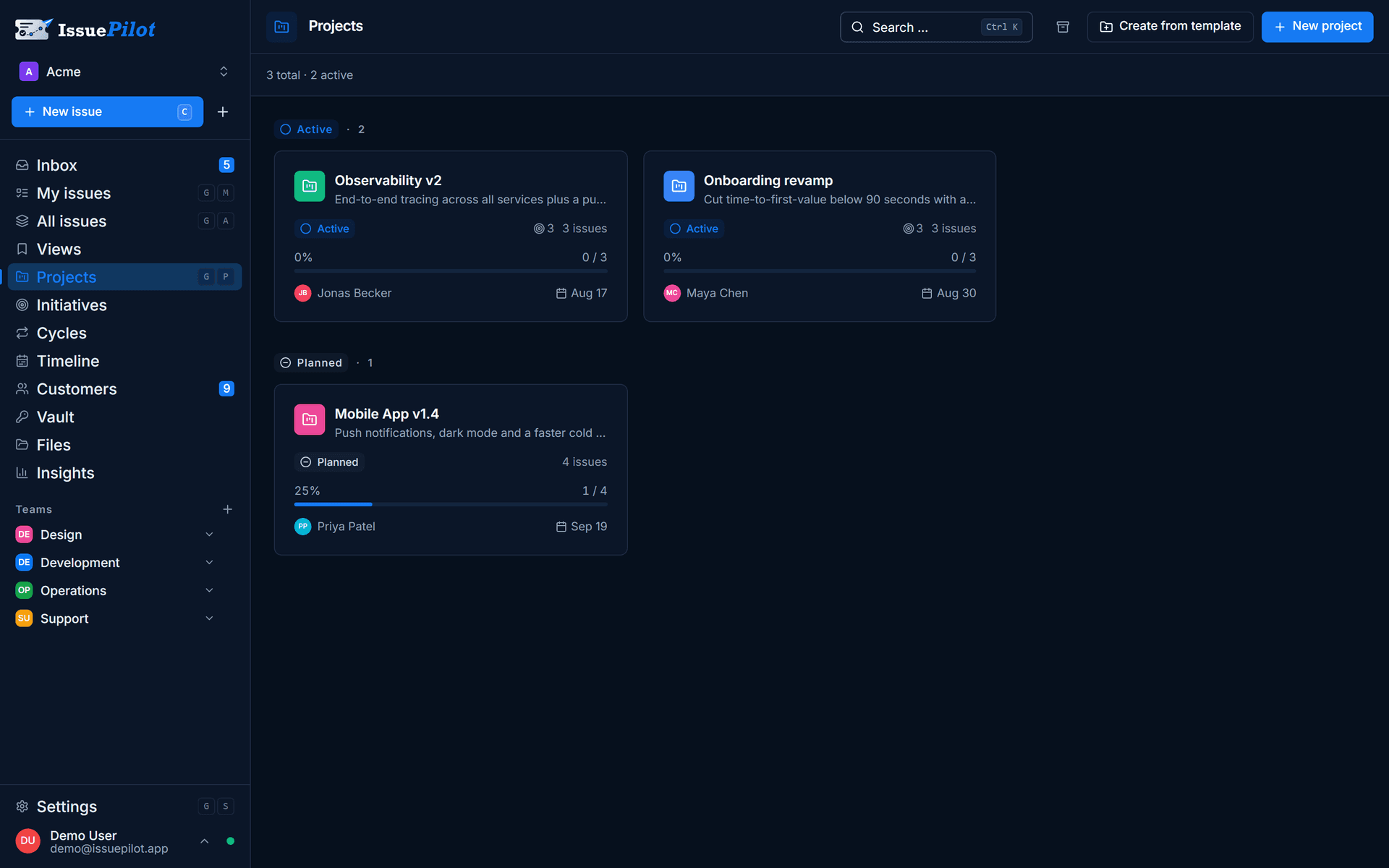
Projects, cycles & milestones
Projects group the tasks around a goal, cycles give delivery fixed time frames, and milestones mark the stages. A progress bar shows where things stand.
Solves
Without structure above the task level, you see individual to-dos but not whether the bigger initiative is on track.
In practice
“Checkout 2.0” is at 62 per cent. The “Implementation” milestone is running, “QA & release” is planned. At the start of the week it's immediately clear where the team should focus.
Deliver
Releases
Bundle the tasks that belong to a version and track how close a release is to being ready.
Solves
Before a release, it's often hard to see what's still open and whether you can ship.
In practice
v2.3.0 is at 8 of 10 tasks. You see the two remaining ones right on the release, instead of piecing them together from several lists.
Plan & look ahead
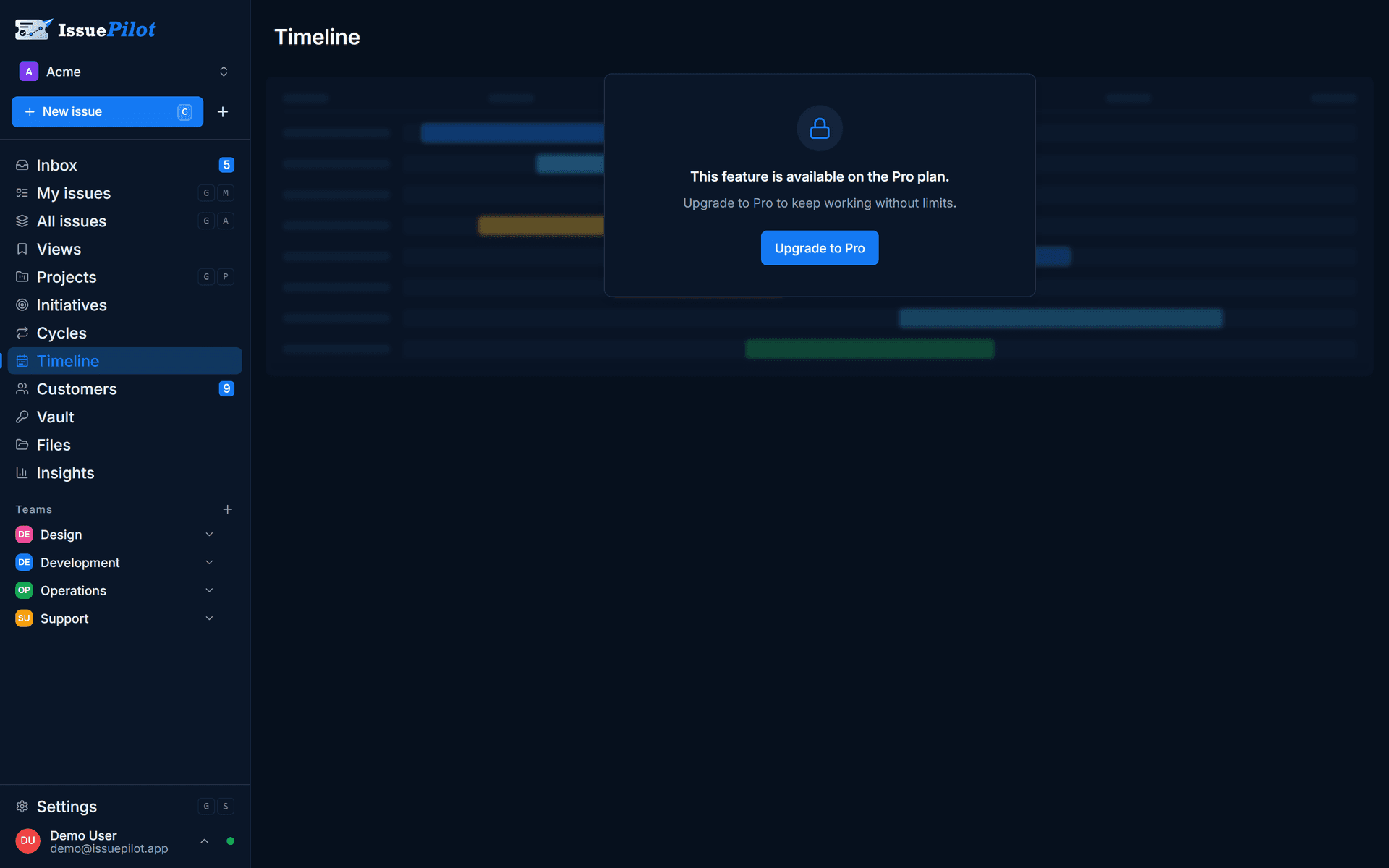
Roadmap & timeline
A time-based overview of the larger initiatives across weeks and quarters.
Solves
Stakeholders ask “What's coming and when?”, and otherwise the answer is buried in scattered spreadsheets.
In practice
“Checkout 2.0” runs until Q2, “Mobile app” starts in Q2, “Reporting” is planned for Q3. One glance at the timeline answers the question of when.
Measure
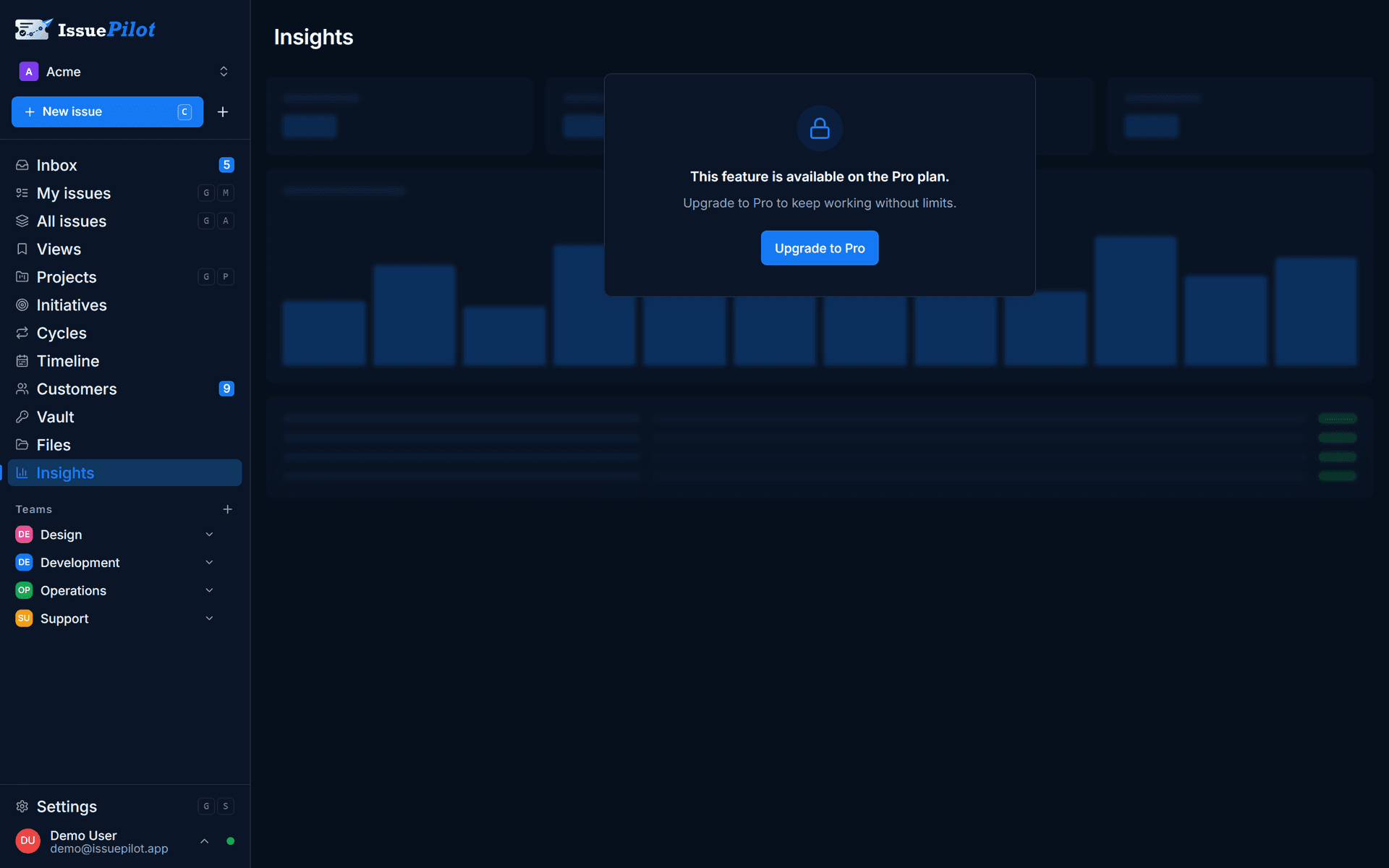
Insights & reporting
Key metrics on your task flow: cycle time, tasks completed per week and open volume.
Solves
Without numbers, “we've got a lot on” stays a feeling rather than a basis for decisions.
In practice
Cycle time sits at 3.2 days, and 27 tasks were completed last week. If open volume climbs for several weeks in a row, you spot it early enough to react.
Customer context
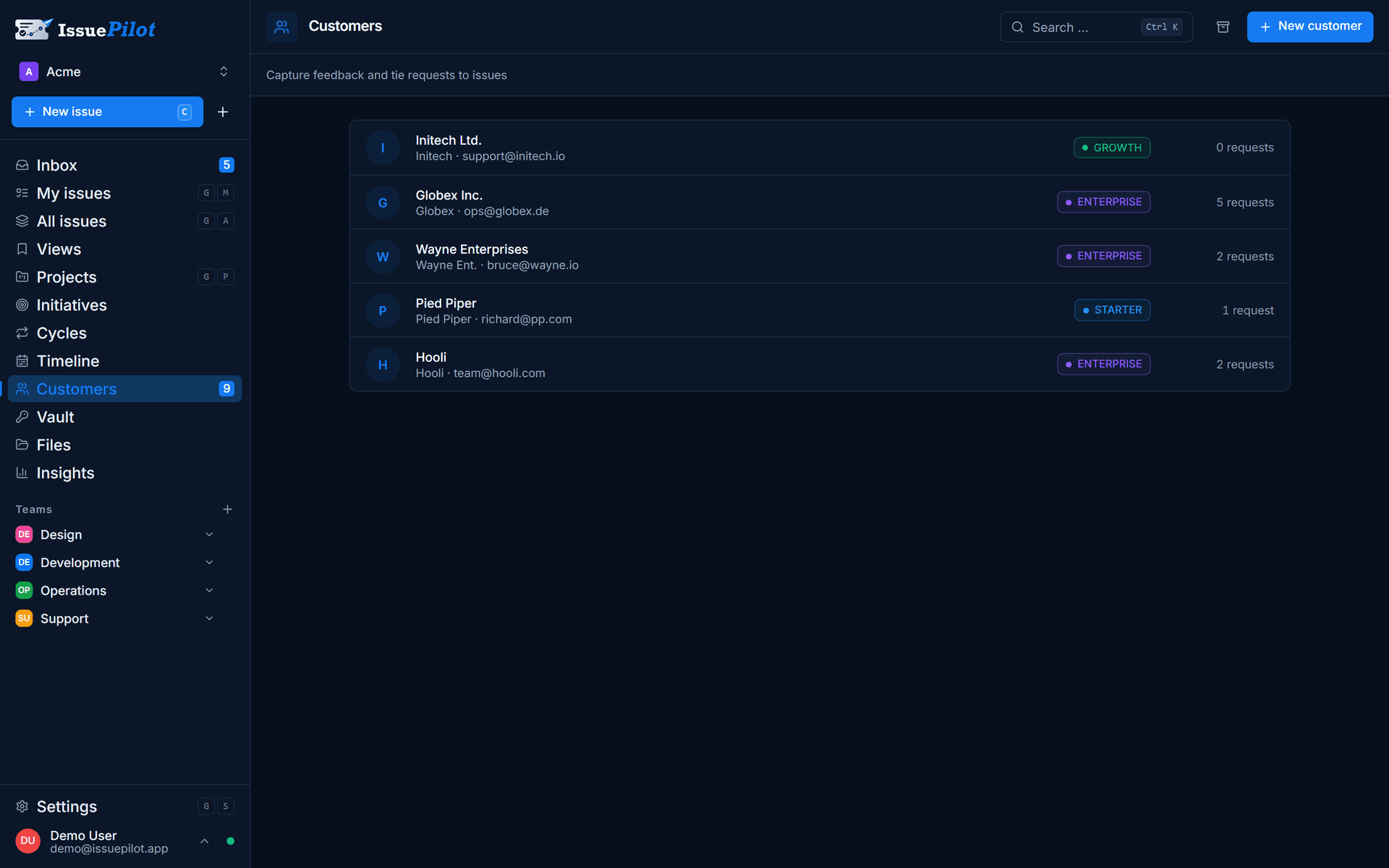
Customers & customer requests
Link requests to real customers and connect them to the tasks that follow from them.
Solves
Otherwise customer requests scatter across inboxes and nobody knows which customer is waiting on what.
In practice
Weblese GmbH reports “the invoice PDF won't open”. The request is attached to ISS-475, so on the next contact you immediately see where things stand.
Collaboration
Real-time updates
Changes appear instantly for everyone on the team, without reloading the page. When someone sets a status or writes a comment, others see it in the same moment.
Solves
Anyone who has to refresh manually quickly ends up working on an outdated view and duplicating others' work.
In practice
Tarek moves ISS-479 to “Review”. On Mara's screen the list updates in the same moment, without her clicking anything.
Collaboration
Web push notifications
Notifications right in your browser, even when IssuePilot isn't open — for example when tasks are assigned to you or new comments come in.
Solves
Having to keep checking the tool so you don't miss anything wastes time, and you often miss things anyway.
In practice
ISS-481 gets assigned to you. Instead of stumbling across it by chance, you get a push notification and you're immediately in the loop.
Dir zugewiesen
jetztISS-481 · Checkout bricht bei langer Lieferadresse ab
Neuer Kommentar
vor 2 Min.Tarek L. hat ISS-479 kommentiert
Blocker aufgelöst
vor 8 Min.ISS-462 ist erledigt – ISS-481 kann weiter
IssuePilot · Web-Push im Browser
Collaboration
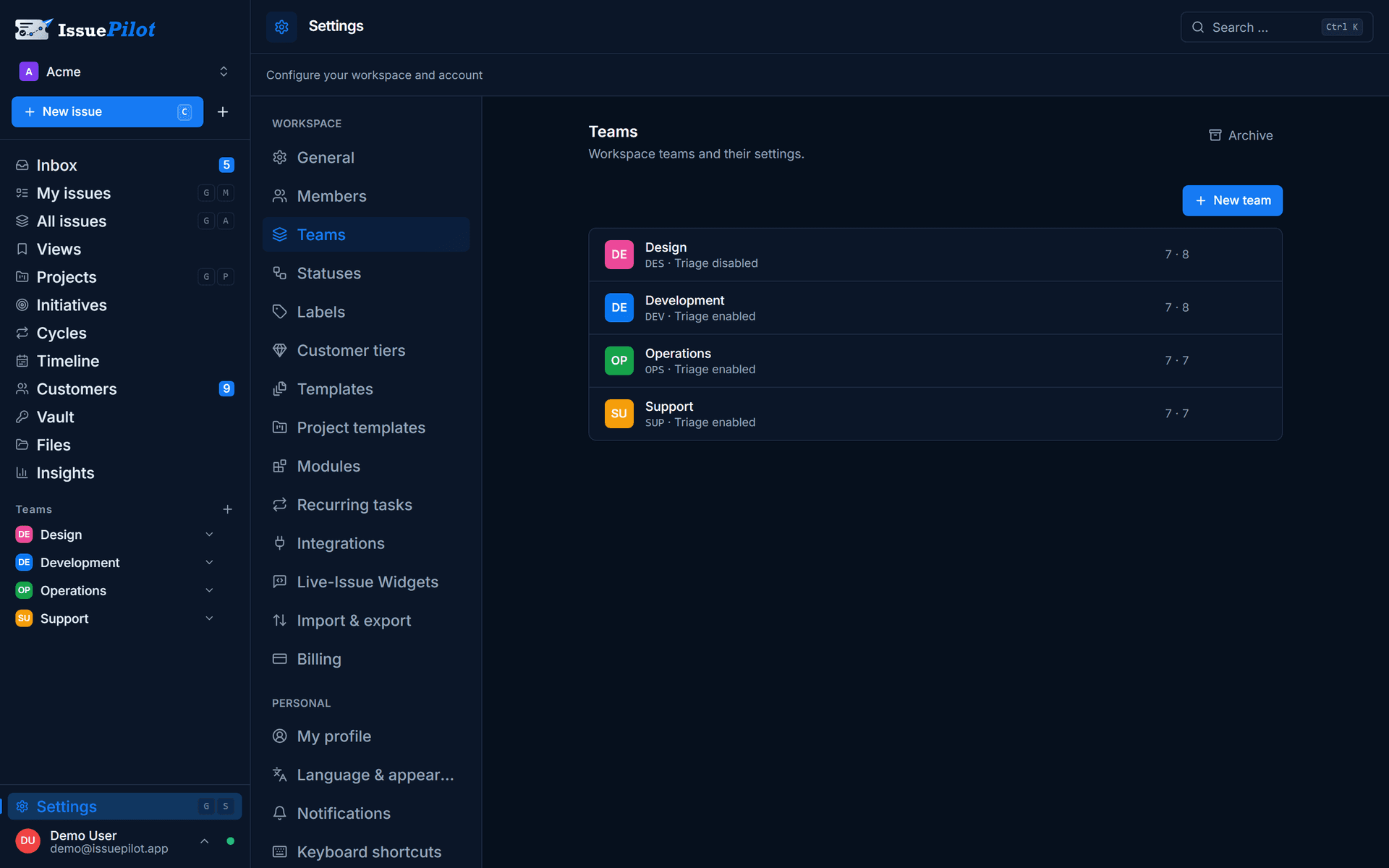
Multiple teams per workspace
One workspace, multiple teams. Each team has its own tasks but can link across teams whenever needed.
Solves
Throw everyone in together and each team constantly sees other people's tasks; separate tools tear the context apart.
In practice
Product, engineering and support work separately but in the same workspace. A support request is linked as a task to engineering without switching tools.
Migrate
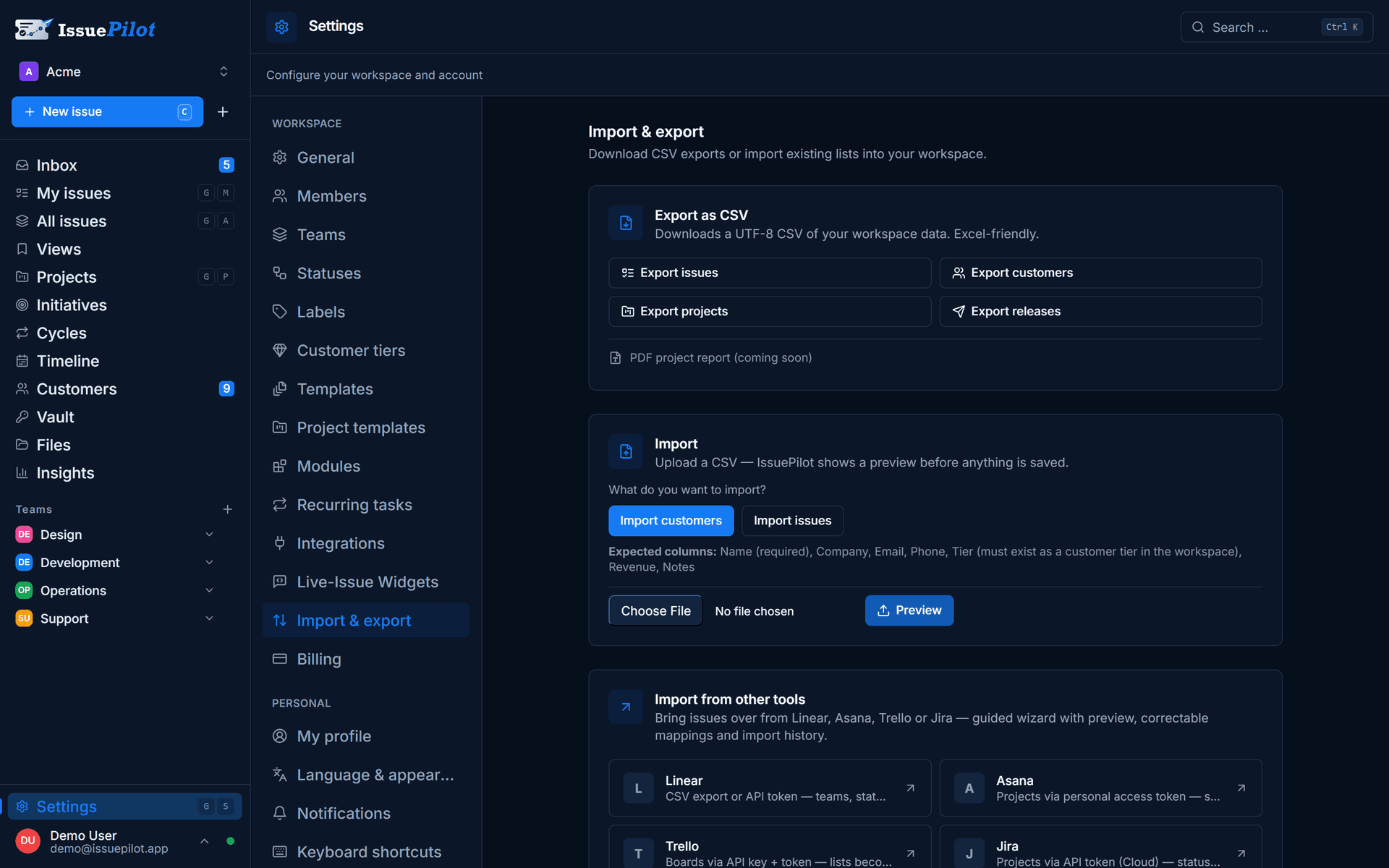
Import from Jira, Asana, Trello & Linear
Bring your existing issues with you: a guided wizard imports them with a preview, you fix the mapping of status, people and labels, and duplicate protection prevents doubles. Issues and customers also import via CSV.
Solves
Switching tools shouldn't mean recreating everything by hand.
In practice
You pick your previous tool, check the preview and correct the mappings — then your issues are imported along with their titles, status and ownership.
Free vs. Pro
What's in which plan.
The Free plan covers the entire core loop. Pro lifts the limits and unlocks the more advanced features.
Pro costs €4.90 per member per month.Data hosted in Germany, GDPR-compliant, DPA on request.
Try it for 30 days.
Every new account starts with every Pro feature and no payment details. After 30 days your workspace continues on the free plan – you don't have to do anything and you lose nothing.
Three fields · No credit card · Cancel monthly
- Servers in Germany
- GDPR-compliant
- Built in Germany
Still got a question? Write it down